BlackSwan Upload — upload.php
One PHP file. Move files anywhere. Pull a file from any URL, push files from your PC, relay through a second server when the source is blocked, browse and manage FTP/FTPS/SFTP servers, and diff-and-sync two servers — all from a single, dependency-free
upload.phpyou drop in, use, and delete.
Latest release: v3.8.2 · 2026-08-10
Single file:upload.php— no install, no Composer, no build step. Tooltips (Tippy.js) are inlined; the optional in-browser code editor lazy-loads CodeMirror from a CDN only when you open it.
Zero server dependencies: pure PHP back-end + vanilla JS/CSS front-end. Works on shared hosting, cPanel, DirectAdmin, managed WordPress.
Why this exists
Sometimes you need to get a file onto a server and the usual tools aren’t there: wget/ssh are disabled, it’s locked-down shared hosting, or the box simply can’t reach the source. You have a browser, a URL, and maybe some FTP credentials.
upload.php is the bridge. Upload this one file, and the server does the heavy lifting:
- Server-side pull — paste a URL and the server downloads it directly. No more “download 2 GB to my laptop, then re-upload over FTP.”
- Relay around blocks — if your server can’t reach the source (geo-block, firewall), route the fetch through a second server that can.
- Manage remote servers — browse, upload to, download from, rename, move, and delete files over FTP/FTPS/SFTP, right from the browser.
- Keep two servers in sync — compare a whole tree by relative path and push only what’s missing or different.
Then click Self-Destruct and it’s gone.
What it does
📤 Upload
| Mode | What it does |
| — | — |
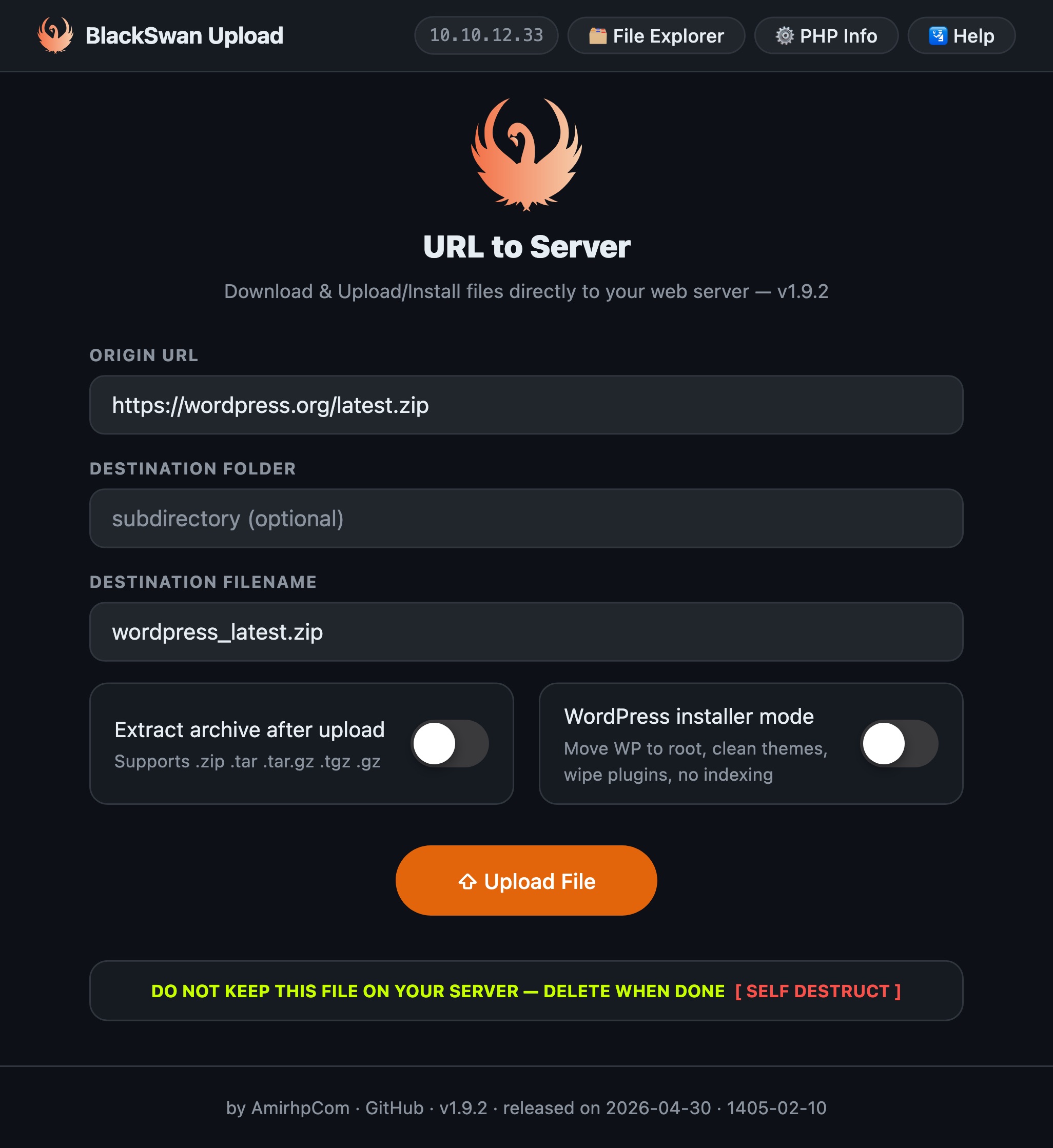
| Upload from URL | Server fetches any URL straight to disk, with live top-bar progress, size, elapsed time and ETA. Optional archive extraction (.zip .tar .tar.gz .tgz .gz) and a WordPress installer mode (extract → move to root → keep latest theme → wipe default plugins → Disallow: /). Bulk: paste many URLs, one per line, with per-item rows, retry, and a counter. |
| Upload from PC | Pick files from your device and upload them to the server with a real, per-file progress bar (true byte progress). Selected files are listed before upload with per-item remove; pick again to add more. Bulk multi-file supported. |
| MITM Relay | When the server can’t reach the source, a second server running this same script fetches it for you: A → asks Relay to fetch → A downloads from Relay → A optionally tells Relay to delete. Single or bulk. |
🗂️ Browse
| Tool | What it does |
| — | — |
| File Explorer | A single-folder view of the local server (classic file-manager style): click a folder to open it, or use the editable breadcrumb — click a crumb to jump, click the empty space to type a path (Enter to go) — plus an Up button. Upload here drops files into the open folder from PC, URL, or Relay (bulk, per-item progress, Stop, Retry). Each row’s actions live in one ⋯ menu: View as text, Edit as text, copy HTTP URL, rename, duplicate, move, delete. Multi-select bulk delete/copy. Shows size, modified time, and octal + symbolic permissions with plain-language tooltips. |
| FTP Explorer | Connect to FTP / FTPS (TLS) / SFTP (self-signed certs OK) and browse the remote server the same single-folder way (editable breadcrumb + Up). Per-row ⋯ menu: View / Edit as text, rename, move, duplicate, delete, copy bare path or full HTTP URL, and save the file down to this server with a progress row. Upload into the folder you’re viewing from PC, URL, or Relay — bulk, with per-item progress, Stop, and Retry. Set an Initial Directory so a connection opens straight into /public_html (or anywhere). |
🔄 Sync
| Tool | What it does |
| — | — |
| FTPS Sync | Two panes, each independently Local or FTP/FTPS/SFTP, each with its own Root folder. Compare diffs the entire tree by each file’s path relative to its root (so /public_html/x.zip lines up with /w2w/x.zip), flagging identical / differs / only-left / only-right. Differing & one-side-only files are auto-selected. Sync in either direction — recreating sub-folders on the destination — via Direct (download+upload through this server), Plain FTP, Relay (MITM), or FXP (best-effort, falls back to Direct). The queue has a progress bar, per-item progress, Stop (whole queue or a single item), Retry (per item or all failed), and unchecks each file as it succeeds so a re-run only does what’s left. |
✏️ View & edit
- In-browser text editor — from either explorer, open any text file as View (read-only) or Edit in a popup. CodeMirror gives GitHub-style syntax highlighting (light/dark, matching the app) for web/code files — PHP, JS / TS / JSX, CSS, HTML, JSON, XML, Markdown, SQL, YAML, shell,
.htaccess, … — and line numbers for every other text file too. Files over 10 MB or binary types (images, video, archives, fonts, …) have View/Edit disabled, with a tooltip explaining why; the server also refuses binary content. - Save & Save with backup — Save writes in place; Save with backup first copies the current file to
<name>.back(FTP backups round-trip through this server), then saves — and if the backup step fails, nothing is overwritten. The runningupload.phpitself can’t be overwritten.
🛠️ Tools
- PHP Info — curated server diagnostics in-page, full native
phpinfo()one click away. - Help — full CLI reference, web endpoints, “Removing PHP Limits & Timeouts” recipes (php.ini / .user.ini / .htaccess / Nginx+FPM), and a plain-English explanation of how the update check works.
- Update — checks the GitHub latest release and, if newer, offers a one-click in-place update (download from the release, verify it’s valid PHP, swap atomically) or Replace from PC with your own build; a Download only link is there too (see below).
✨ Interface
- GitHub-style light/dark UI with a sidebar app shell, grouped into Upload · Browse · Sync · Tools. Collapse / theme controls are icon-only at the bottom; the sidebar collapses to an icon rail (full height) that expands on hover.
- Tidy file rows — every action (view, edit, copy, rename, duplicate, move, delete, save-to-server) is tucked into a single ⋯ dropdown per row, with Tippy.js tooltips (inlined, dark theme) throughout.
- Collapsible connection forms — after you connect, the FTP credentials form auto-collapses to a one-line summary (with Edit), on both FTP Explorer and FTPS Sync, so the form doesn’t eat space while you browse.
- Saved connections — store FTP credentials + settings (incl. initial directory) as named profiles and reload them into FTP Explorer or either Sync side in one click (stored unencrypted, in your browser only).
- No-timeout best effort — the script raises
max_execution_time,memory_limit, socket timeout andignore_user_abortat runtime so long transfers don’t die mid-way (with server-level recipes in Help for hosts that override it). - Startup permission banner, copy-to-clipboard with toasts, mobile-responsive, keyboard-accessible, self-destruct, path-traversal hardening, auto file-name from URL.
How it works
upload.php is a single PHP file that serves both the HTML/CSS/JS front-end and a tiny JSON API from the same endpoint:
- Front-end: one page, no framework. Views (Upload/Browse/Sync/Tools) are inline sections toggled client-side. File Explorer and FTP Explorer use a shared single-folder renderer (editable breadcrumb); both Sync panes use a lazy-loading recursive tree.
- Back-end:
POSTwith an_a=action returns JSON — e.g.ls/ls_tree(local tree),ftp_ls/ftp_tree(remote tree),fetch(URL→server),upload_local(PC→server),fb_upload(PC/URL/relay→open folder),mitm_fetch(relay),ftp_copy(FTP→server),ftp_upload(PC/URL/relay→FTP),read/writeandftp_read/ftp_write(in-browser text view/edit, local & remote),xfer_direct|ftp|relay|fxp(sync engine), andcheck_update. - Progress: the browser-side leg of Upload from PC and FTP Explorer → From PC shows true byte progress via
XHR.upload. Server-side legs (URL fetch, FTP↔server, relay, sync) run as one request and show an honest indeterminate/animated bar with the known size — not a fake percentage. - Engine: cURL-first (handles FTP/FTPS/SFTP URLs, redirects, self-signed certs) with native
ftp_*/ssh2fallbacks.
Everything is stateless: FTP credentials are passed per request and never stored server-side.
Requirements
- PHP 7.0+ (tested through 8.x). The only PHP-7 construct left is the
??operator, so 7.0 is the real floor; 7.4+ is still recommended for security. Below 7.0 it can’t compile at all — on PHP 5.6 use the minimal legacy build instead. - cURL extension (for URL/FTP/FTPS/SFTP transfers and the update check).
- ZipArchive for
.zipextraction; PharData (bundled) for.tar/.tar.gz/.tgz. - For SFTP: cURL with SFTP support or the
ssh2extension. - Write permission in the folder where
upload.phplives (for uploads, including replacingupload.phpitself when you update).
Minimal legacy build (PHP 5.6)
If your server runs an old PHP (5.6 or 7.0) where the full app won’t load, grab upload-legacy.php — a tiny, dependency-light, single-purpose uploader that just pulls a file from a URL onto your server, with a live progress bar. It uses no PHP 7+ syntax, so it runs on PHP 5.6+. You can set the destination folder (created if missing, kept inside the script’s directory) and the saved filename. It has none of the browser/FTP/compare/sync/editor/self-update features — for those, use upload.php on a modern PHP.
Install (web)
- Download
upload.php. - Upload it (FTP/SFTP/cPanel File Manager) to the target directory.
- Open
https://yoursite.com/upload.php. - Use any mode from the sidebar.
- Self-Destruct when you’re done.
PHP CLI
php upload.php --url=<URL> --name=<filename> [options]

  --url=<URL>        Source URL                 (required)
  --name=<filename>  Destination filename       (required)
  --folder=<dir>     Sub-directory              (optional)
  --extract          Extract archive after download
  --wpinstall        WordPress installer mode
  --delete           Self-destruct
  --mitm=<URL>       Relay (MITM) server upload.php URL
  --mitm-keep        Keep the file on the relay after transfer
  --help             Show help

# Compare & Sync (recursive, by path relative to each root)
php upload.php --compare --left=<spec> --right=<spec> \
  [--sync --dir=lr|rl --method=direct|ftp|relay|fxp --relay=<URL> --yes]
#   <spec> = local:/abs/path | ftp://user:pass@host:port/root   (ftps:// sftp://)
# WordPress in one line
php upload.php --url=https://wordpress.org/latest.zip --name=wp.zip --wpinstall

# Relay around a block
php upload.php --mitm=https://relay.example.com/upload.php \
  --url=https://blocked-source.com/file.zip --name=file.zip

# Dry-run a sync, then perform it
php upload.php --compare --left=ftp://u:p@a.com/w2w --right=ftp://u:p@b.com/htdocs
php upload.php --compare --left=ftp://u:p@a.com/w2w --right=ftp://u:p@b.com/htdocs \
  --sync --dir=lr --method=direct --yes
Removing PHP limits & timeouts (big / slow files)
The script already calls set_time_limit(0) and raises limits at runtime, but many hosts override that. To move large files without 504 / Maximum execution time exceeded, raise limits at the server level. Find your active php.ini under PHP Info → Loaded Configuration File.
; php.ini  (or .user.ini in this folder on PHP-FPM/CGI shared hosting)
max_execution_time = 0
max_input_time = -1
memory_limit = 1024M
upload_max_filesize = 5G     ; only for "Upload from PC"
post_max_size = 5G           ; must be >= upload_max_filesize
default_socket_timeout = 3600
# .htaccess  (Apache + mod_php only)
php_value max_execution_time 0
php_value memory_limit 1024M
php_value upload_max_filesize 5G
php_value post_max_size 5G
# Nginx + PHP-FPM
client_max_body_size 5G;
fastcgi_read_timeout 3600s;
# php-fpm pool (www.conf):  request_terminate_timeout = 0
Note: Upload from URL, MITM Relay, FTP Save-to-server, and Sync stream through the server and are bound by
max_execution_time, notupload_max_filesize. Only Upload from PC is bound byupload_max_filesize/post_max_size.
The full matrix (including mod_fcgid, mod_proxy_fcgi, and Apache Timeout) is in the in-app Help tab.
Update Check (from GitHub Releases)
Update → Check for updates will:
- Query the GitHub Releases API for
amirhp-com/upload-url-to-serverand read the latest release tag. - Compare that tag to this file’s
APP_VERwithversion_compare(). - If newer, offer one-click in-place update (Update now): the new
upload.phpis downloaded from the release (preferring a release asset namedupload.php, else the raw file at that tag), verified as valid PHP (token_get_all(…, TOKEN_PARSE)+ size / marker checks) and swapped over the live file atomically — leaving it untouched if anything fails. A Download only link and release notes are also shown. - Replace from PC — upload your own
upload.php(custom build) to overwrite the running one, with the same verification.
Security: the update download becomes the running code, so both the release lookup and the download use strict TLS, the download URL is derived server-side (never client-supplied) and pinned to GitHub hosts over HTTPS. No backup is kept, so keep your own copy if you want an easy rollback. Like every action in this single file, self-update is unauthenticated — protect the file at the server level or remove it after use.
Needs: outbound HTTPS to api.github.com and GitHub’s raw-content host, and the file (and its folder) writable by the PHP user.
Testing it: run an older copy (lower APP_VER) and click Check for updates — it should surface the latest release with a download button. Or from the CLI on the server: curl -s https://api.github.com/repos/amirhp-com/upload-url-to-server/releases/latest | grep tag_name to confirm what the script will see.
Web endpoints
| URL | Action |
|---|---|
upload.php |
App (all modes/tools). |
upload.php?phpinfo=1 |
Full native phpinfo(). |
upload.php?delete=true |
Self-destruct. |
POST _a=fetch / mitm_fetch / del_by_name |
MITM relay JSON API. |
POST _a=fb_upload |
Upload PC/URL/relay file into the open local folder. |
POST _a=ftp_upload |
Upload PC/URL/relay file into an FTP folder. |
POST _a=read \| write \| ftp_read \| ftp_write |
Read/save a text file (local or FTP) for the in-browser editor. |
POST _a=xfer_direct\|ftp\|relay\|fxp |
Compare-&-Sync transfer engine. |
POST _a=check_update |
Update check — compares APP_VER to the latest GitHub release and returns a download link. |
⚠️ Security
This tool is intentionally permissive — built to be uploaded, used, and immediately deleted. Treat it as a temporary utility, not part of your app.
- Always self-destruct when finished.
- No built-in auth — if it must live for a while, gate it with
.htaccessBasic Auth or rename it to something unguessable. The page isnoindex,nofollow. - Inputs are sanitised against
.., null bytes, mixed slashes, and leading separators; the browser can’t delete the script itself. - Saved FTP connections are stored unencrypted in your browser only.
Changelog
Full history: CHANGELOG.md. Recent highlights:
- v3.8.2 — Bulk “Save Selected to Server” in the FTP Explorer: tick remote files/folders, set an optional destination subfolder, and download them all onto this server (folders expand recursively, sub-tree preserved), next to the existing Delete Selected.
- v3.8.1 — Lowered the PHP requirement to 7.0 (was 7.4 — it wrongly blocked working 7.1/7.2/7.3 hosts; the only 7.x construct is
??, and list destructuring was rewritten to classiclist()). Also fixedupload-legacy.phpso a nested path in the filename/folder field creates the sub-folders instead of collapsing into one file in the root. - v3.8.0 — Create / recursive-delete / rename folders across the File Explorer, FTP Explorer and both Compare panes; recursive folder sync in Explorer view; fixed Compare hiding a 0-byte-vs-real file as identical; inline Compare controls with a totals panel (files + size per side); in-place self-update (one-click from GitHub or replace-from-PC, verified + atomic, MITM-hardened); an old-PHP notice below 7.4; and a minimal
upload-legacy.phpfor PHP 5.6 hosts (URL→server only, now with a destination-folder option). - v3.6.3 — Cleared Imunify360’s
php.dropper.file(SMW-INJ-CLOUDAV-…-PHPTRP2-4) detection. The in-browser editor’s read/write transport dropped base64 for percent-encoding (rawurlencode/rawurldecode↔encodeURIComponent/decodeURIComponent), removing thebase64_decode→file_put_contentscombo that behavioural scanners read as a dropper — and the obfuscated fragment-assembled helper names that made it look worse. No base64-encoded data remains in the file; the only base64 left is the lonebase64_encode()nginxsecure_linkrequires. - v3.6.2 — Removed every literal
base64token so content-scan AV can’t match on the bare substring. - v3.6.1 — Cleared a second ClamAV “unofficial” false positive on the editor Save path.
- v3.6.0 — Update check no longer overwrites the file in place. “Check for updates” now surfaces a direct download link (release asset or raw file at the tag) plus a release-notes link; you upload the new
upload.phpback through the tool to replace it. Removes the in-place self-rewrite that tripped heuristic AV/web-shell scanners (e.g. DirectAdmin ClamAV), and assembles the GitHub host strings from fragments so the file no longer matches those signatures. - v3.5.2 — New HTTP via secure_link sync method (browse over FTP, download each file via its nginx
secure_link-signed web URL, upload to the destination); secure_link config lives in a collapsible panel inside each Compare pane’s connection form. - v3.5.1 — Compare/Sync polish: full-width step panels, connection form collapses fully (header + creds + root folder), editable breadcrumbs in Compare, a single Check all/none toggle across all explorers, and tooltip line-wrapping.
- v3.5.0 — Tree ⇄ Explorer view toggle in the FTP Explorer and both Compare panes (Explorer compares the open folder only); selection summary (files · folders · total size) + Check all / none; nginx
secure_linksigned download URLs (configurable secret/TTL/params/expression +$remote_addrtoggle) for Copy web URL; redesigned toasts (top-right stack, slide-in, 5 s min, hover-pause, click-dismiss, lifespan bar, type icon, timestamp); Compare screen reorganized into bordered step panels with a collapsible Root-folder field. - v3.4.0 — Upload here in the local File Explorer: drop files into the open folder from PC / URL / Relay, bulk with per-item progress, Stop and Retry (new
_a=fb_uploadendpoint). - v3.3.x — In-browser text viewer & editor in both explorers with CodeMirror (GitHub-style highlighting, light/dark; line numbers for plain text too), Save + Save with backup (
.back), a 10 MB / binary guard, and protection against overwriting the script itself. Row actions consolidated into a single ⋯ dropdown, and all tooltips moved to Tippy.js (inlined, dark theme). - v3.2.0 — Editable breadcrumb address bar: click a crumb to navigate, click the empty space to type a path (Enter to go) — the separate input row is gone.
- v3.1.0 — File Explorer & FTP Explorer switched to a single-folder view (breadcrumb + editable address bar + Up); FTP uploads target the open folder; Compare keeps its tree; collapsed-sidebar footer icons sit side-by-side on hover.
- v3.0.0 — FTP Explorer upload (PC/URL/Relay, bulk, per-item progress, Stop, Retry) into the clicked target folder; FTP→server download progress; Sync queue Stop / Retry / per-item progress / uncheck-on-success; collapsible connection forms (auto-collapse after connect) on FTP Explorer & Sync; Initial Directory for FTP connections (saved in profiles); sidebar regrouped into Upload · Browse · Sync · Tools with icon-only collapse/theme; footer shows server + your IP; runtime no-timeout best-effort + Help recipes for php.ini/.user.ini/.htaccess/Nginx; compare diff tags + auto-select; recursive folder sizes.
- v2.9.0 — GitHub-style redesign, sidebar app shell, inline tool views, Upload-from-PC (bulk).
- v2.5.0 — MITM Relay bulk mode (
_a=mitm_fetch). - v2.4.0 — FTP folder navigation fix, configurable download-to folder, 1000px layout.
- v2.3.0 — FTP bulk actions, bulk URL upload, octal permissions, self-update.
- v2.1.0 — FTP Browser (FTP/FTPS/SFTP).
- v2.0.0 — MITM relay mode, Phosphor icons, CLI
--mitm. - v1.9.2 — Dark iOS UI, progress + ETA, file browser, PHP CLI mode.
Contributing
PRs welcome. Keep it a single file — features land in upload.php. Branch off main, update CHANGELOG.md, and include a screenshot for UI changes.
License
MIT — see LICENSE.
Disclaimer
Provided as-is. The author accepts no responsibility for misuse, lost data, or security incidents from leaving this script accessible on a production server. Self-destruct it the moment you’re done.
— Lead developer: amirhp-com