Hush app icon Free · Open source · Offline

Everything to text, right on your Mac.

Drop in audio or video and Hush turns the speech into text, subtitles or a document. It runs whisper.cpp on your own Mac, so nothing is uploaded, and it speaks Persian as well as English.

macOS 14 or later · Apple silicon · فارسی and English

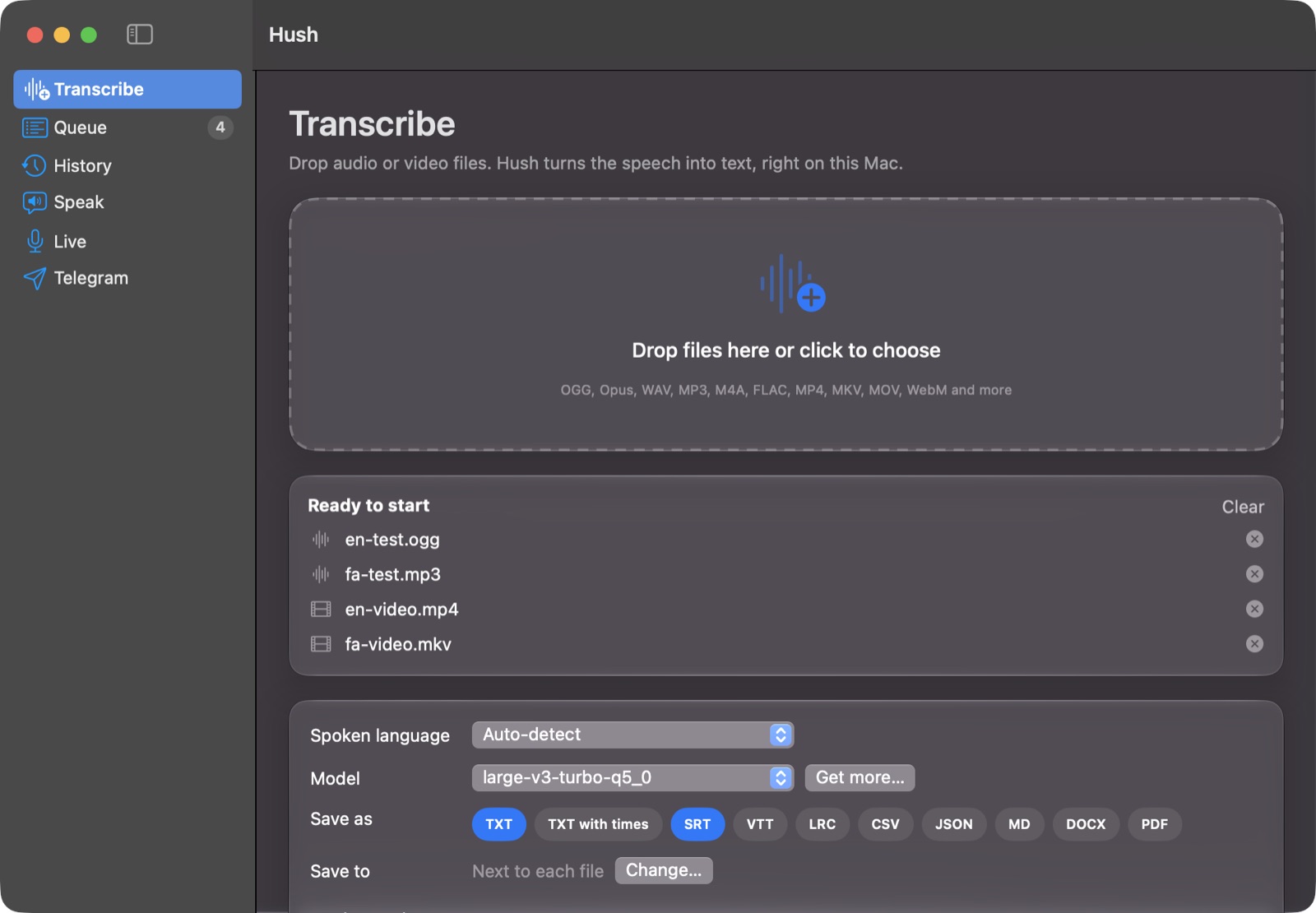
The Hush window: drop files to transcribe, choose language, model and output formats

What it does

One app for speech, text and everything in between.

Hush wraps proven open-source tools in a window anyone can use. Pick files, press Start, get text.

Any audio or video

OGG and Opus voice notes, WAV, MP3, M4A, FLAC, plus MP4, MKV, MOV and WebM videos. FFmpeg handles the conversion.

Ten export formats

PDF, Word, plain text, timestamped text, SRT and VTT subtitles, LRC, CSV, JSON and Markdown. PDF and Word are right-to-left for Persian.

A queue that works for you

Add a folder and walk away. Progress and time left for every file, then a notification, a sound, a Telegram message, sleep or shut down.

Edit with playback

Every line is linked to its moment in the recording. Click to hear it, fix the words, find and replace, then export again.

Text to speech

Read any text aloud with macOS voices or natural Piper voices, including Persian. Save as MP3, M4A, WAV or OGG.

Live dictation

Talk into the microphone and the words appear as you speak, transcribed by a local whisper-server.
Made for Persian

A first-class Persian experience.

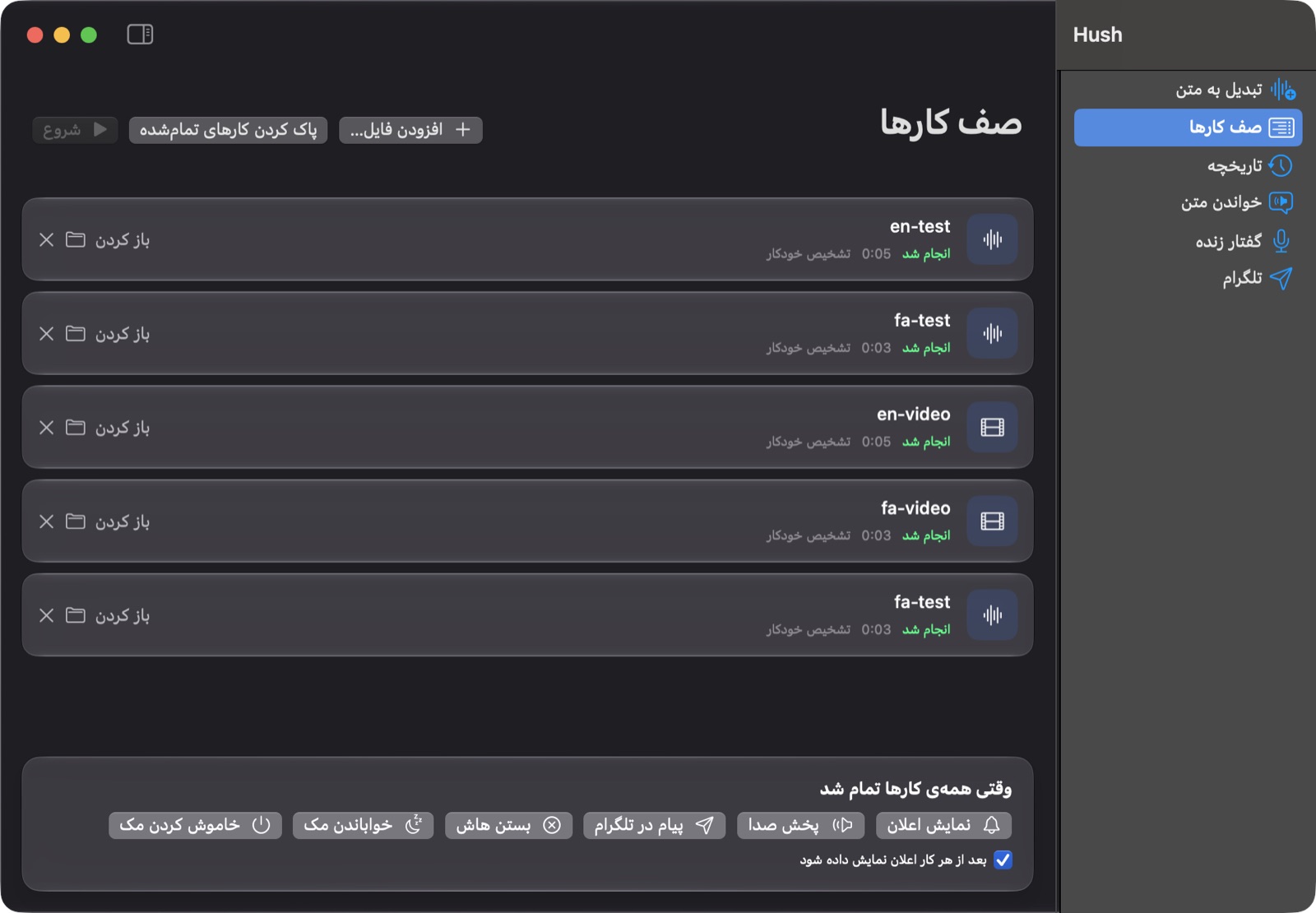
Switch the whole interface to Persian and it flips right to left. Transcripts get their letters and spacing fixed automatically.

  • Full فارسی interface with right-to-left layout
  • Automatic cleanup: ی، ک and the zero-width non-joiner
  • Persian voices for text to speech, powered by Piper
  • Right-to-left PDF and Word exports
The Hush queue with the Persian interface

Telegram

Your Mac becomes a voice-to-text bot.

Connect your own bot and send it voice messages, audio or video from your phone. Hush transcribes them on the Mac and replies with the text.

  • Chats are paired on the Mac with Allow / Deny, so only you decide who can use it
  • Reply as text, an SRT file or both, in the language you choose
  • /tts reads any text back as audio
  • Send finished transcripts and extracted audio to Telegram from the app
  • HTTP and SOCKS proxy support for filtered networks
🎙 Voice message · 0:42
⏳ Got it, transcribing…
سلام، جلسه‌ی فردا ساعت ده برگزار می‌شود. لطفاً گزارش هفتگی را هم همراه داشته باشید.Hush · 2 seconds later
/tts Meeting moved to 10 am
🔊 Audio · 0:03

Everything in one place

Models, tools and updates without the terminal.

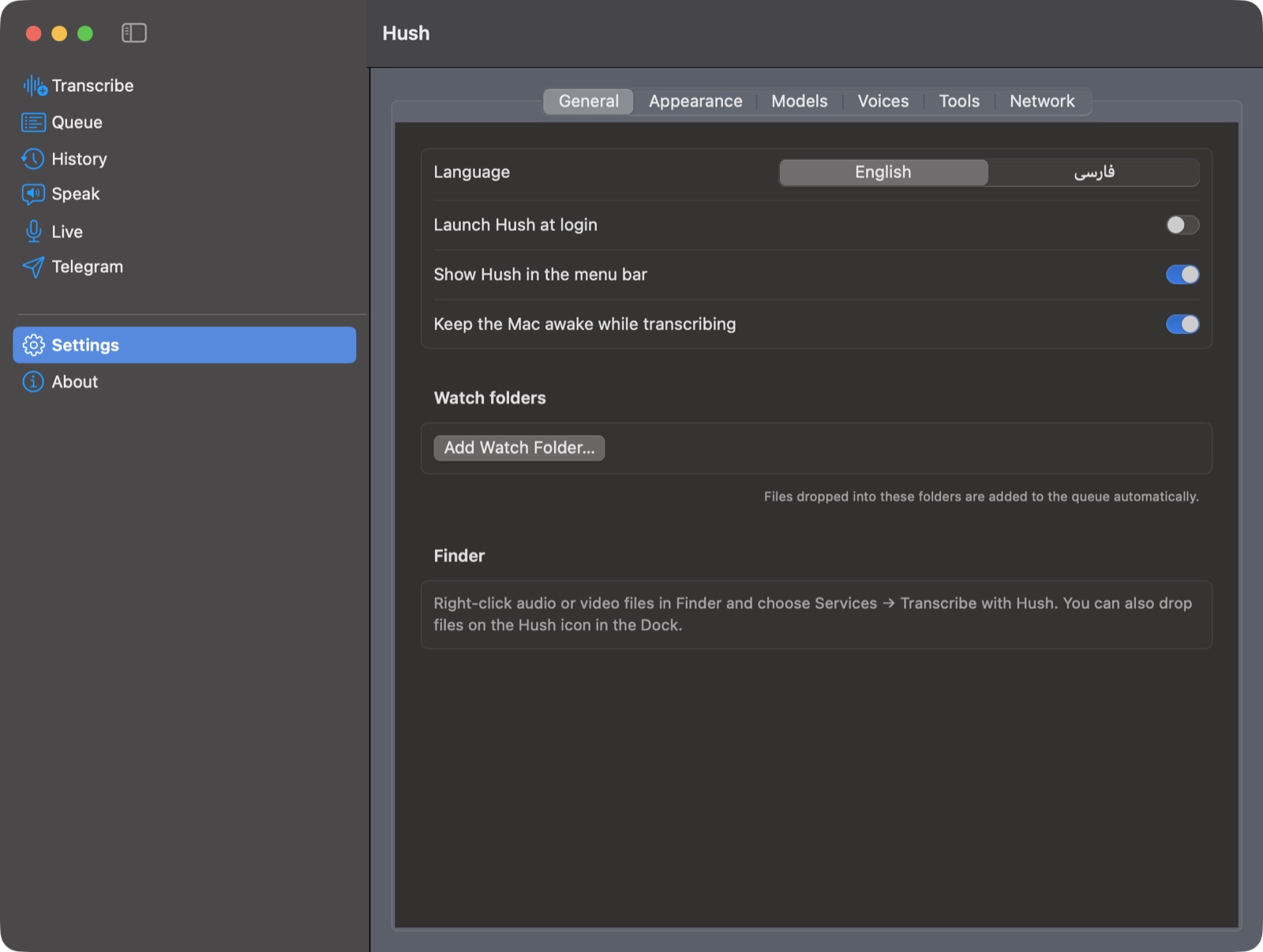
Hush checks what it needs and installs it with one click through Homebrew. Pick a speech model by size, speed and accuracy and download it in the app.

  • whisper.cpp, FFmpeg and Piper installed and updated from Settings
  • Every Whisper model, from tiny to large-v3-turbo
  • Liquid Glass, translucent or solid window, like Terminal
  • Signed self-updates from GitHub Releases
whisper.cpplarge-v3-turboFFmpegPiperSilero VAD
Hush settings in the main window

Get started

Up and running in three steps.

Hush is free. The speech tools run locally, so after the first setup it works without internet.

Download Hush

Get the latest DMG from GitHub Releases and drag Hush to Applications. The first time, right-click it and choose Open.

github.com/amirhp-com/Hush/releases

Install the tools

The welcome screen installs them for you, or run this in Terminal:

brew install whisper.cpp ffmpeg

Pick a model

large-v3-turbo-q5_0 (574 MB) is a good balance for Persian and English. Then drop your files in and press Start.

Settings → Models

Built with

Standing on great open source.

Hush runs these tools as separate programs. Thanks to everyone who builds them.

Turn your recordings into text tonight.

Free, open source, and private by design.